Structural steel takeoff software for Windows
Steel takeoffs in minutes, not days.
Drop in your structural PDF. SteelTally finds every member on the plan, measures it, prices the job and builds your member list and cut list – all on your own PC.
- No credit card
- Full version, every feature
- Your drawings never leave your PC
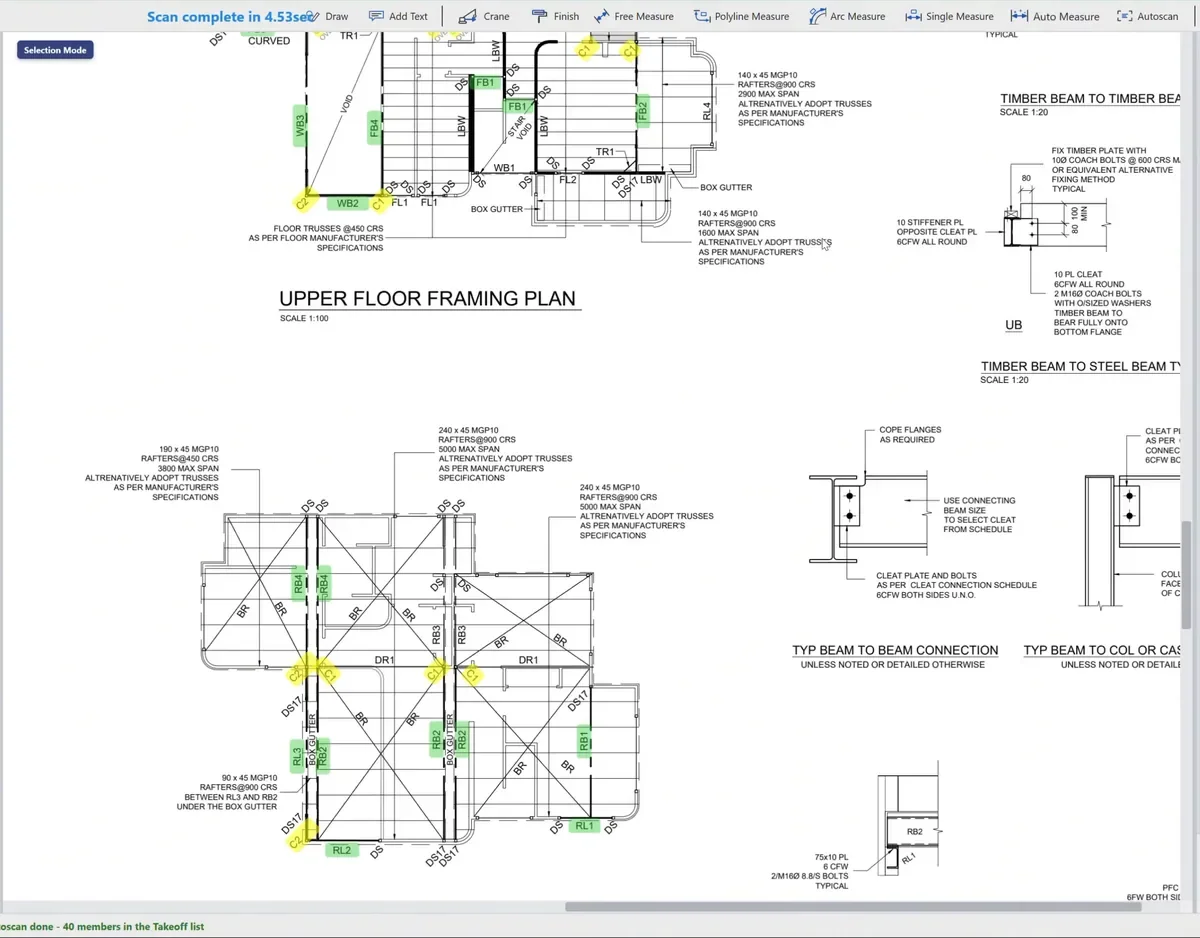
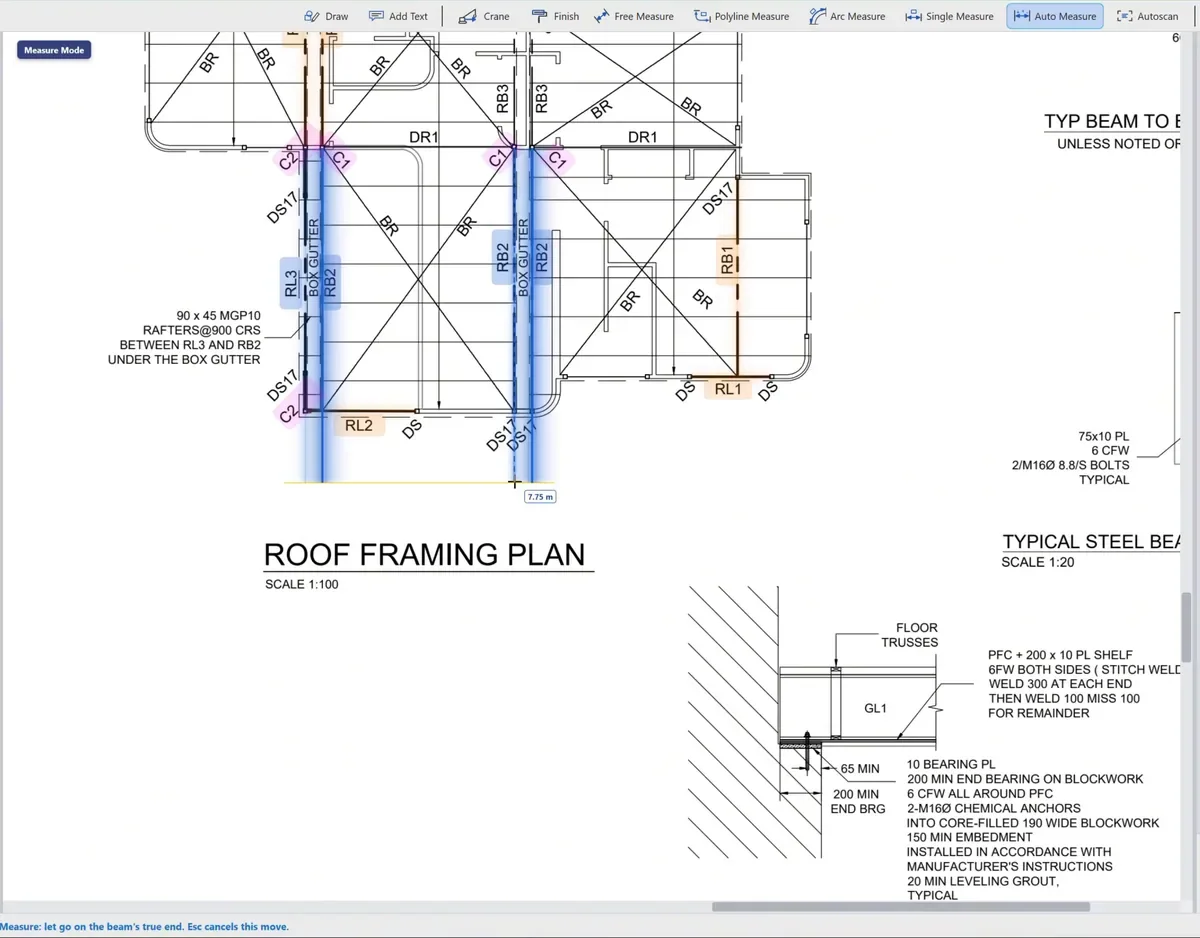
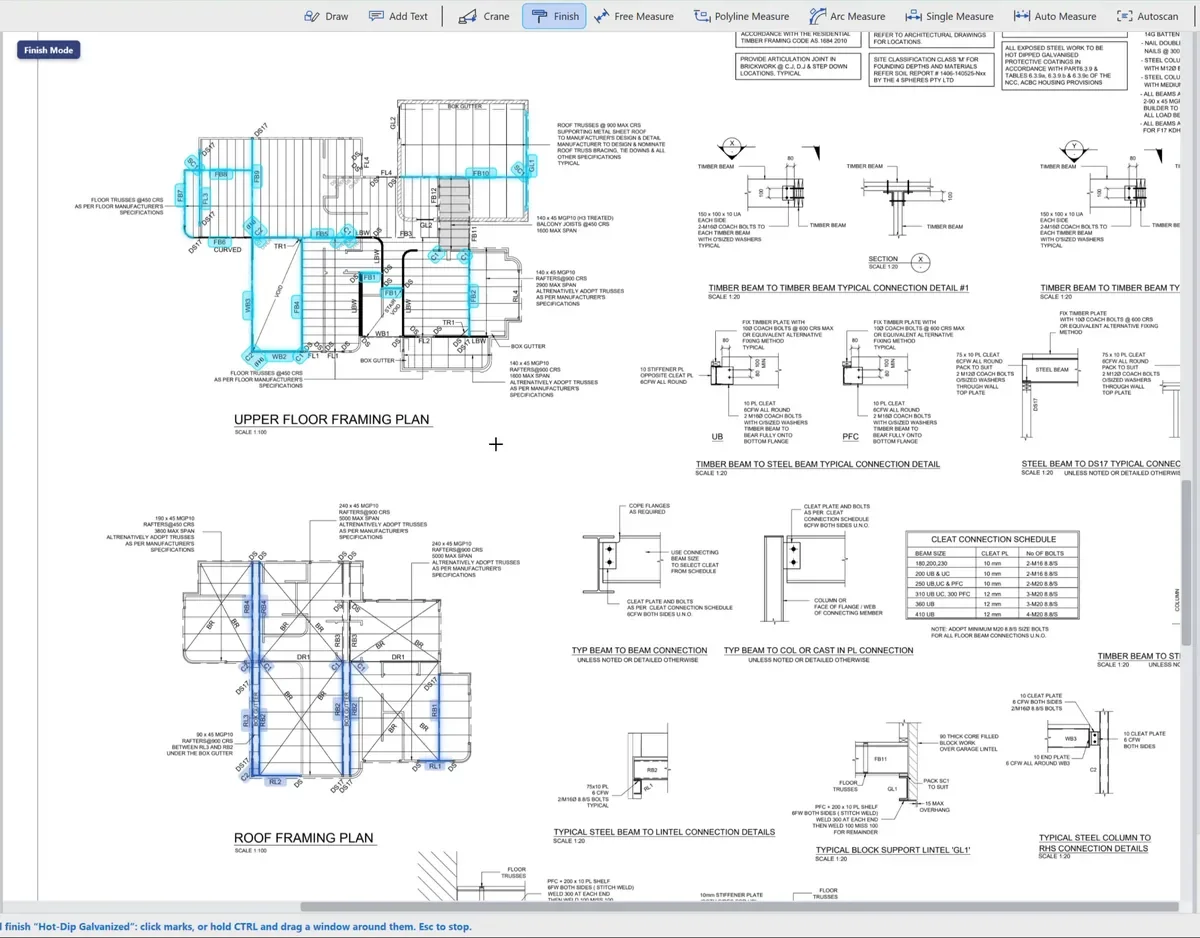
Click Autoscan – SteelTally reads the member schedule and lights up every member on the plan.
Why switch
Put the highlighter down.
Most of a steel takeoff is counting and checking. SteelTally does that part, so you can get on with pricing the job.
The old way
- Highlighter, scale rule and calculator
- Counting every beam, page after page – then counting again
- Hunting for a mark that isn't even on the plan
- Typing every member into a spreadsheet
- Flicking between revisions to spot what changed
With SteelTally
- Autoscan finds the members on the plan for you
- Lengths measured straight off the drawing
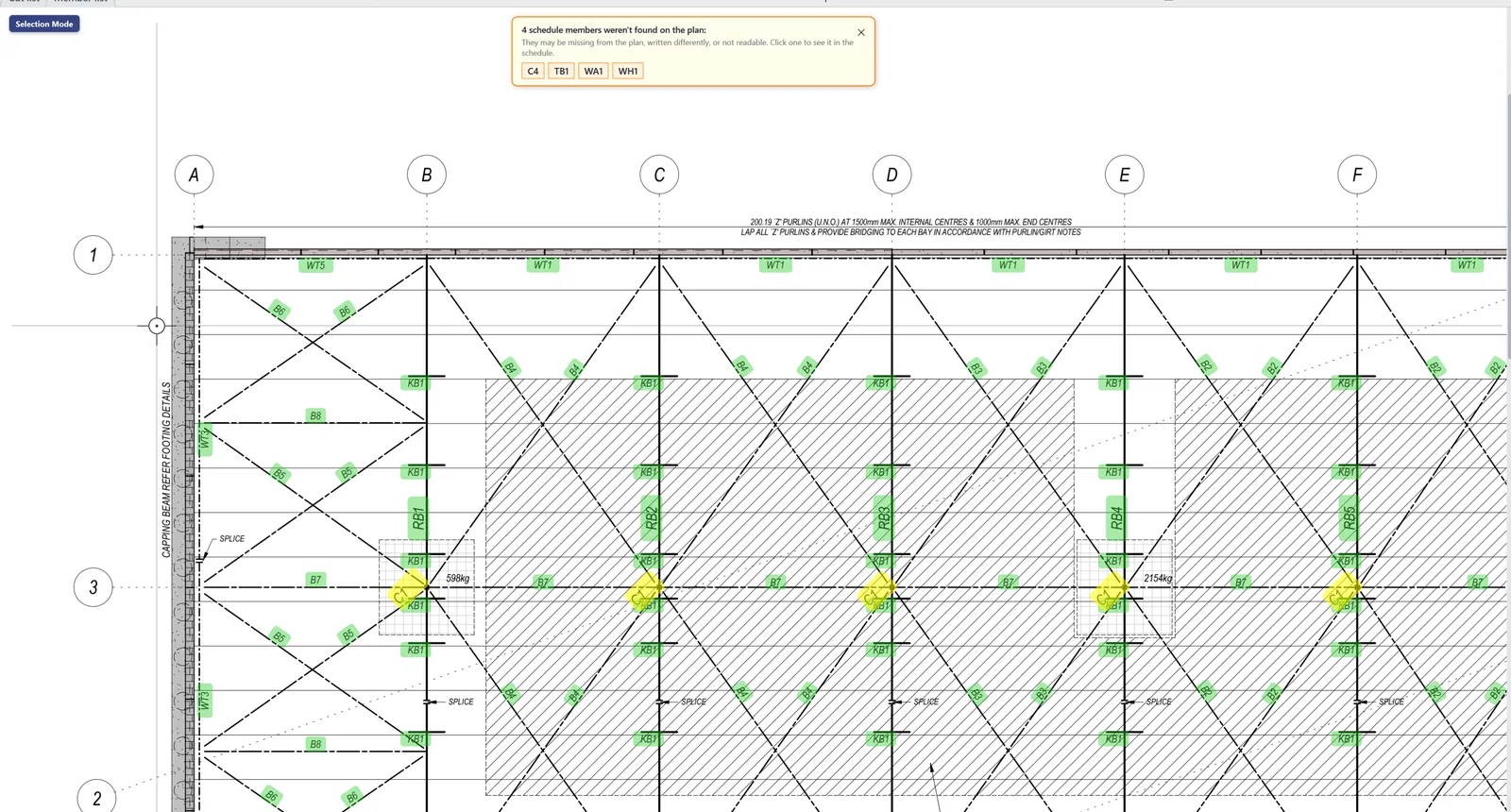
- Schedule members missing from the plan, flagged
- Member list, cut list and price, built as you go
- Two revisions side by side, every steel change listed
Features
The whole job, in one app.
From the first mark on the drawing to the steel order. Click any card to see it.
New · Compare revisions
New revision just landed? See what changed in seconds.
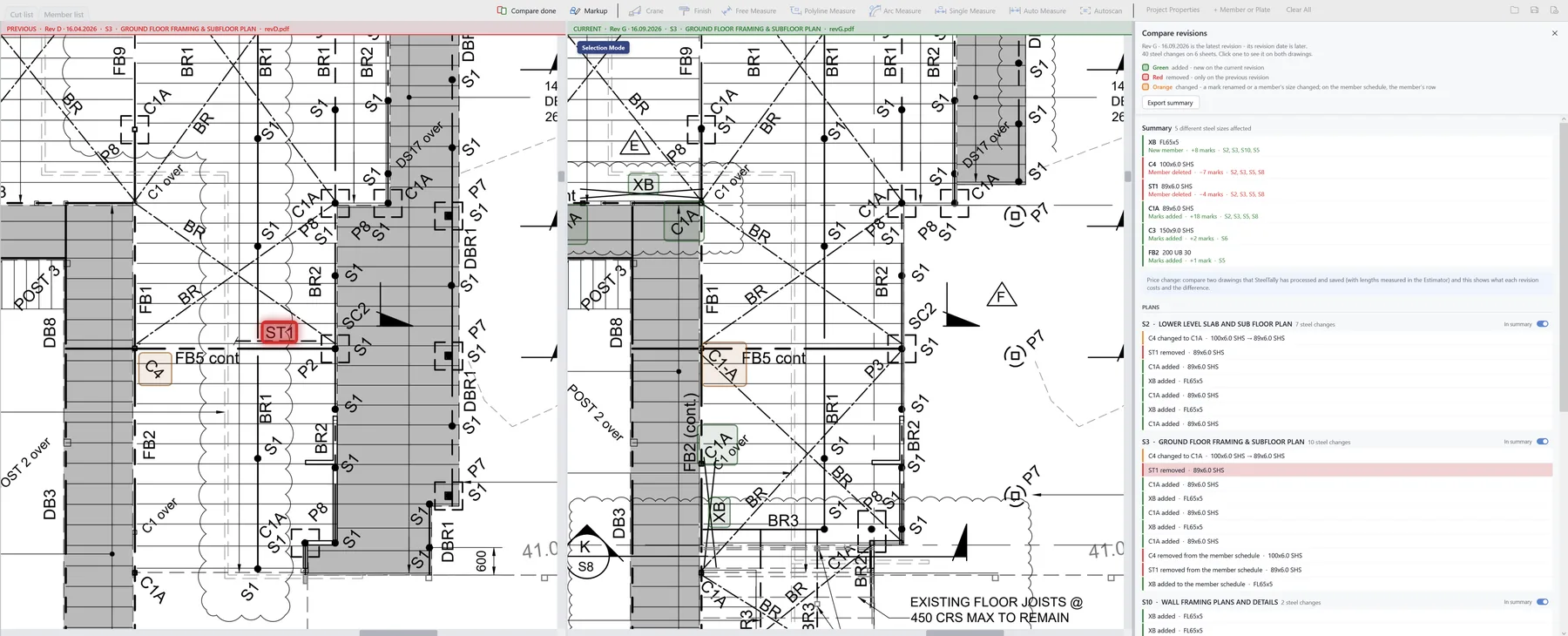
Drop the other revision in. SteelTally works out which one is current, puts them side by side and lists every steel change – so you know exactly what to re-quote.
- Green – new on the current revision
- Red – only on the previous one
- Orange – renamed, or a member's size changed
- Click a change and it's highlighted on both drawings
- A Summary list you can export to PDF or Excel
- On saved jobs, the price difference between revisions
Who it's for
Built for the people who do steel takeoffs.
Quote faster, with numbers you can trust.
- Members, lengths and weights done for you
- Your $/tonne steel rate and your own finish rates price the job
- Missing members flagged before they cost you
- New revision? See the steel changes before you re-quote
From the drawing to the steel order.
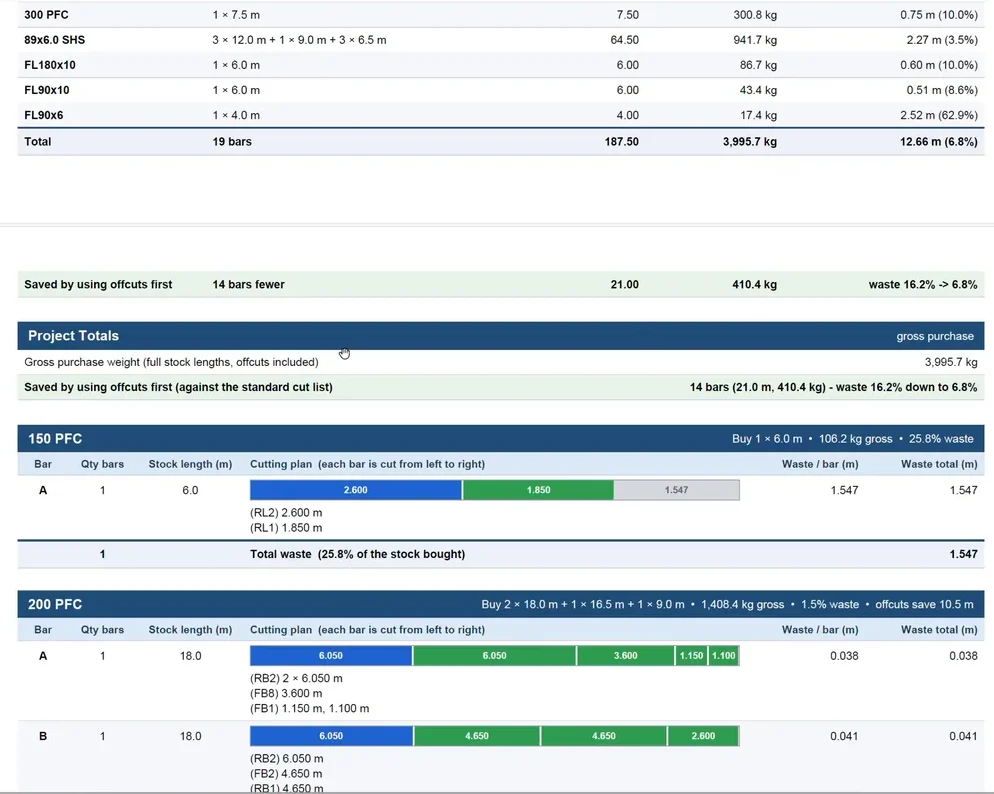
- Cut lists on the stock lengths you buy, offcuts used first
- Stock to order, weights and waste worked out
- Galvanising and primer areas and litres
- Crane reach checked before you get to site
Every mark checked against the schedule.
- Every schedule member found on the plan, or flagged
- Member list exported to Excel or PDF
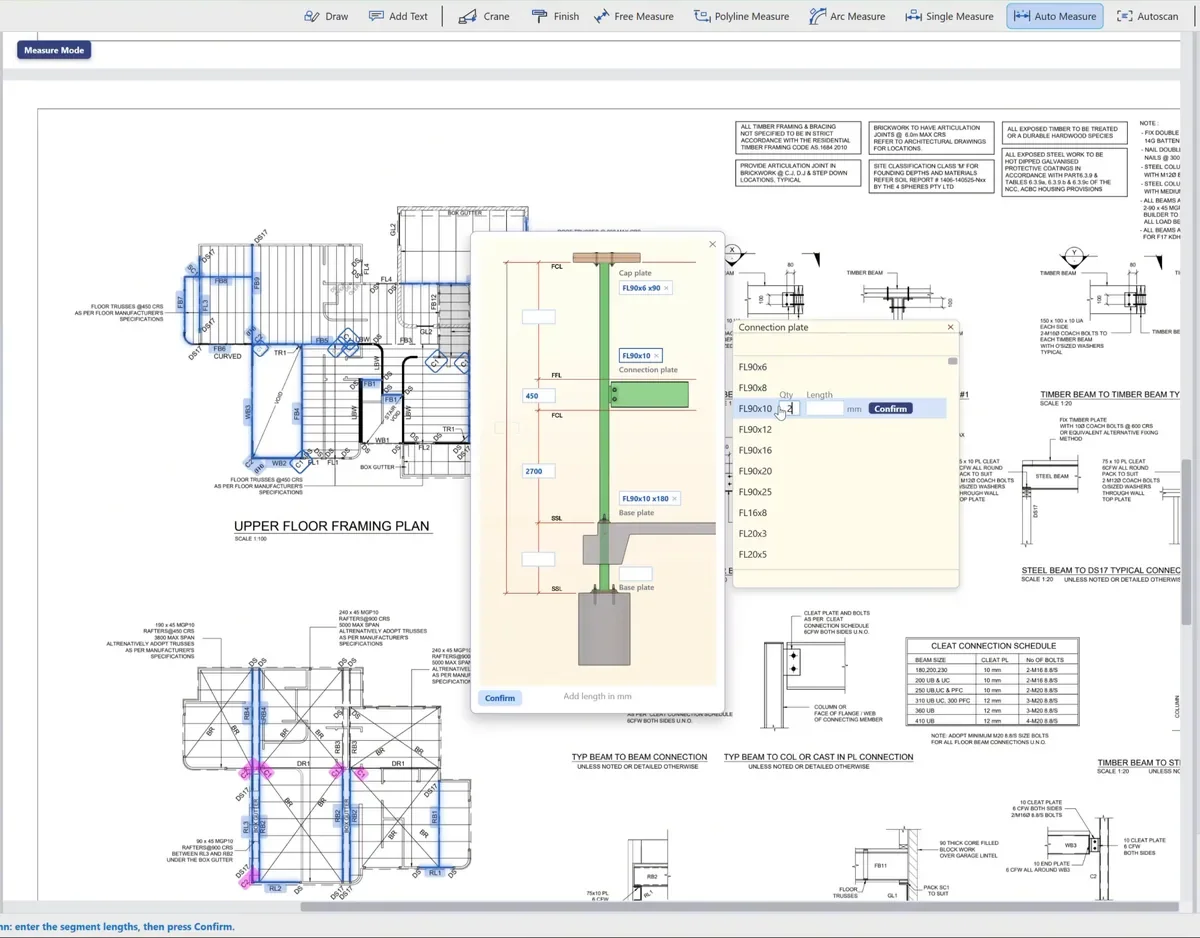
- Column heights and plates in one diagram
- Markups and notes on the drawing
Your drawings stay yours.
SteelTally reads and measures your drawings on your own computer. Nothing is uploaded, nothing waits in a queue, and no cloud AI reads your clients' plans.
- No uploads
- No cloud
- No cloud AI
- Works offline
Free trial
Up and running in three steps.
No credit card, no sales call, no catch.
- 1
Fill in the form
Your name, company and email. About a minute.
- 2
Check your inbox
Your own download link usually arrives within 15 minutes.
- 3
Open a drawing, click Autoscan
See how much of your day you get back.
Start free
Try SteelTally free for 30 days.
Fill this in and we'll email you a download link for your own copy.
- The full version, every feature
- 30 days free, no credit card
- Windows PC
- Help when you need it: support@steeltally.com.au
Form not showing? Open it in a new tab.
FAQ
Questions, answered.
What do I need to run SteelTally?
A Windows PC and your structural drawings as PDFs. That's it.
Will it read my drawings?
PDFs exported from CAD work best. If a drawing is a scan, SteelTally tells you up front, and you can still pick the marks by hand.
Do my drawings get uploaded anywhere?
No. Everything happens on your own PC. No uploads, no cloud, no cloud AI.
How does Compare revisions work?
Open one revision and drop the other in. SteelTally works out which is current from the title block, puts them side by side and lists every steel change – new, deleted and resized members – highlighted on both drawings. The Summary list exports to PDF or Excel.
How is the cost estimate worked out?
Steel is priced on the stock you'll buy at your own $/tonne rate. Finishes use the rates you type in the Finish menu – $/litre for primers and paint, $/tonne for galvanising. Leave a rate blank and that line simply isn't shown.
What happens after 30 days?
The trial simply stops. There's no card on file, so nothing gets charged. Want to keep going? Just reply to your welcome email.
Does it work on a Mac?
SteelTally runs on Windows PCs.
How do I get help?
Email support@steeltally.com.au and a real person will get back to you.

Join others making the switch to SteelTally.
Your next takeoff could be the quickest one yet.
Start your free 30-day trial